

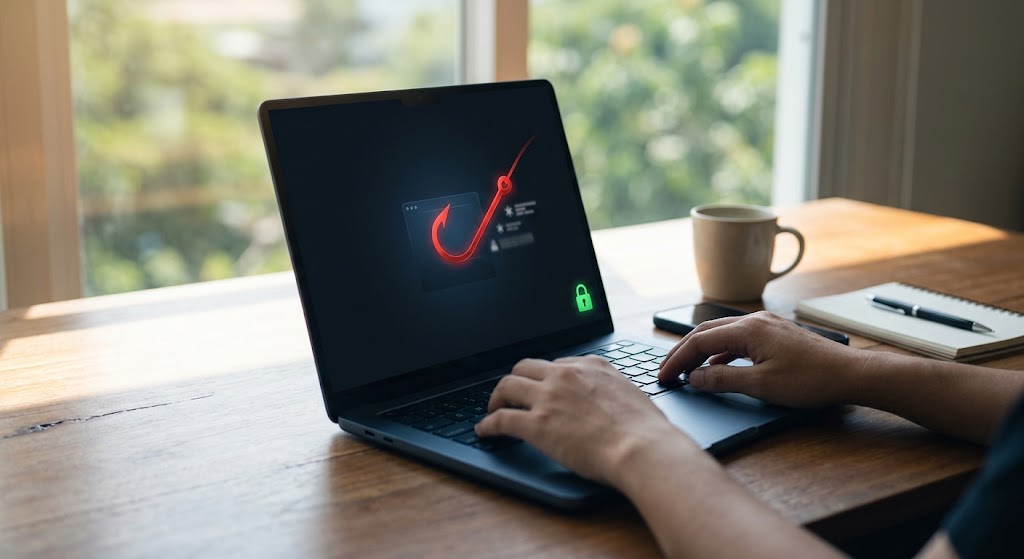
How to Spot Fake Emails: A Simple Guide to Protecting Yourself
September 17, 2026
The Growing Threat of Email Scams
Imagine opening your inbox at work and seeing an urgent email from a company you buy supplies from. The email says you forgot to pay a bill, and if you don’t send money right away, they won’t ship your order. Or maybe you get a quick message that looks like it’s from your boss, asking you to buy some digital gift cards for a team prize.
Your first reaction is probably to help out as fast as possible. But falling for these traps is easier than you think. Cybercriminals don’t send obvious, silly emails about winning the lottery anymore. Today’s fake business emails look super real and are designed to blend right in with your normal, everyday messages.
Scammers spend time researching companies online, learning who works where, and copying how real bosses talk. Knowing how to spot email scams before anyone clicks a bad link is the best way to keep your money, private info, and business safe.
Sneaky Lookalike Tricks: How Scammers Pretend to Be People You Know
To trick busy people who are rushing through their inbox, scammers use sneaky tricks to pretend to be your boss, your bank, or a trusted partner. Here are two of their favorite tricks:
1. Lookalike Web Addresses (Typosquatting)
Scammers register web domains that look almost identical to a real company’s name, hoping your eyes won’t spot the tiny mistake. For example, a scammer might email you from [email protected] (with two ‘t’s) instead of the real address, [email protected].
They also swap letters that look identical in certain fonts. They might replace a lowercase ‘L’ with the number ‘1’, or put an ‘r’ and ‘n’ next to each other (‘rn’) so it looks like an ‘m’. To someone skimming on a phone, these lookalike email addresses look completely real.
2. Fake Display Names
This trick is even easier for scammers because it doesn’t cost them anything. The scammer creates a free account on Gmail or Yahoo and changes their display name to match someone you trust, like “John Smith.”
When the email hits your inbox, you see “John Smith” in big bold text. But if you click on the name to check the actual email address hiding behind it, you’ll see something random like [email protected].
| Scam Trick | What You See in Your Inbox | The Real Email Address Hiding Behind It | Threat Level |
| Fake Display Name | John Smith | [email protected] | High |
| Lookalike Address | KWD Support | [email protected] | Extreme |
| Real Contact | KWD Support | [email protected] | Safe |
5 Red Flags of a Fake Email
Learning how to prevent phishing attacks is all about knowing what looks suspicious. Teach your team to watch out for these five obvious warning signs:
1. Crazy High Urgency
Phrases like “Act right now or your account is deleted!” or “Send this money immediately!” are meant to make you panic. Scammers know that when people panic, they stop thinking clearly and rush to follow orders without double-checking.
2. Trick Links
An email might show a normal-looking link like [https://kwdmarketing.ca/login](https://kwdmarketing.ca/login). But if you hover your mouse pointer over the link without clicking, a little box will show you where the link actually goes. If that address looks weird or totally different, it’s a trap. (You can learn more about staying safe online by reading the Government of Canada’s guide on how to recognize phishing scams).
3. The Email Address Doesn’t Match the Company
If an email claims to be from your bank or a major software company, but the email address ends in something strange like @mail-verify-99.com, it’s 100% fake.
4. Asking for Private Information
Real banks, tech companies, and government offices will never email you asking for your passwords, credit card numbers, or social insurance numbers. Any random email asking for secret information is a major red flag.
5. Weird Greetings and Bad Grammar
While scammers use AI tools to write better now, many fake emails still sound a bit off. Look out for awkward phrasing, strange sentences, or generic greetings like “Dear Customer” instead of your actual name.
5 Simple Steps to Handle a Suspicious Email
If an email feels even a little bit weird, don’t ignore that gut feeling. Follow these simple steps:
- Step 1: Check the Full Email Address: On a computer, hover over or click the sender’s name to see the full email address. On a phone, tap the little arrow under the sender’s name to see the real
@domain.comaddress. - Step 2: Hover Before You Click: Never click links, buttons, or attachments in an email you weren’t expecting. Hover your mouse over the link first to see where it really leads.
- Step 3: Call to Double-Check: If an email asks for money or password changes, verify it through a different channel. Pick up the phone and call the person using a number you already know is real—never call the phone number printed inside the suspicious email!
- Step 4: Don’t Reply: Replying to a fake email lets the scammer know your account is active and monitored. That just invites even more scams into your inbox.
- Step 5: Report and Flag It: Use the built-in security features in your email app (like reporting phishing in Google Workspace). This alerts your IT team and helps your email system automatically block similar scams in the future.
Tech Locks: Protecting Your Business Automatically
While training your staff is super important, people still make mistakes when they’re tired or busy. That’s why businesses need automatic digital locks to stop fake emails before they even land in an inbox.
Important Email Protections
Setting up proper technical shields on your website domain keeps scammers from pretending to send emails from your exact company name:
- SPF: Think of this like an official guest list. It tells the internet which specific computers are allowed to send emails for your business.
- DKIM: This attaches a special digital seal to your emails. It proves the message really came from you and wasn’t messed with on the way.
- DMARC: This gives email providers clear instructions on what to do if an email fails the SPF or DKIM test—like automatically throwing fake messages straight into the trash.
Setting up these technical shields and following Canadian Centre for Cyber Security are simple steps to keep your brand safe. If you’re upgrading your business website or digital setup, easy monthly payment plans are available so you can get modern protection without stressing your budget.
Quick Questions & Answers
Scammers love targeting small businesses because they assume smaller companies don’t have big IT teams or expensive security software. They view small businesses as easy targets.
Spam is just annoying junk mail or ads you didn’t ask for. Phishing is an active crime designed to trick you into giving away money, passwords, or personal secrets.
Protect Your Business Today
Staying alert and setting up the right technical domain locks is the ultimate defense against fake emails. Protecting your digital domain is just as important as locking your office doors at night.
Need help securing your domain name, upgrading your email security, or checking your website? Contact KWD Marketing today to make sure your brand and business are completely protected!
Tags: Domain Security, Easy Monthly Payments, Email spoofing examples, Fake business emails, How to prevent phishing attacks, How to spot email scams, KWD Marketing, Lookalike email addresses